
Kazakan Tools
ABOUT KAZAKAN TOOLS

Everyday tools, with less friction

Kazakan Tools brings together fast, free utilities that help you get things done right in your browser—with a clear experience that respects your time and privacy.

Privacy first

Your tools run on your device, and your files stay out of our servers.

Fast and instant

Start using a tool right away, without waiting or extra steps.

Easy for everyone

A clear interface designed for phones, tablets, and computers.

PRIVACY POLICY

Your files stay in your browser

Kazakan Tools is designed to process the files and text you provide on your device. Tool inputs and results are not uploaded to our servers.

Processed on your device

Images, files, and text used in our tools are processed in your browser. We do not keep copies of them on our servers.

Aggregated usage counts

We send only the tool name and a general event, such as opening, starting, or completing it. The country and day are used to aggregate counts and see which tools are most used; we do not keep individual event histories or your file and text contents.

A small local preference

Your browser may save your theme preference locally so it remembers your choice. We do not use advertising cookies or build a browsing profile.

The site and its usage metrics run on Cloudflare. The provider may process technical connection data, such as an IP address, to deliver and protect the site under Cloudflare's Privacy Policy. We retain aggregate counts while they are useful for improving the tools. External sites, including the Kazakan store, follow their own privacy practices. Last updated: October 20, 2026.

0Active Touches
0Max Multi-Touch
0%Grid Health Coverage
N/ATouch Pressure (Force)

Touchscreen Test Online — Test Multi-Touch & Screen Response Free

Test touchscreen sensitivity on mobile phones and tablets, check multi-touch points, and detect dead zones.

100% Client-Side Zero Server Uploads
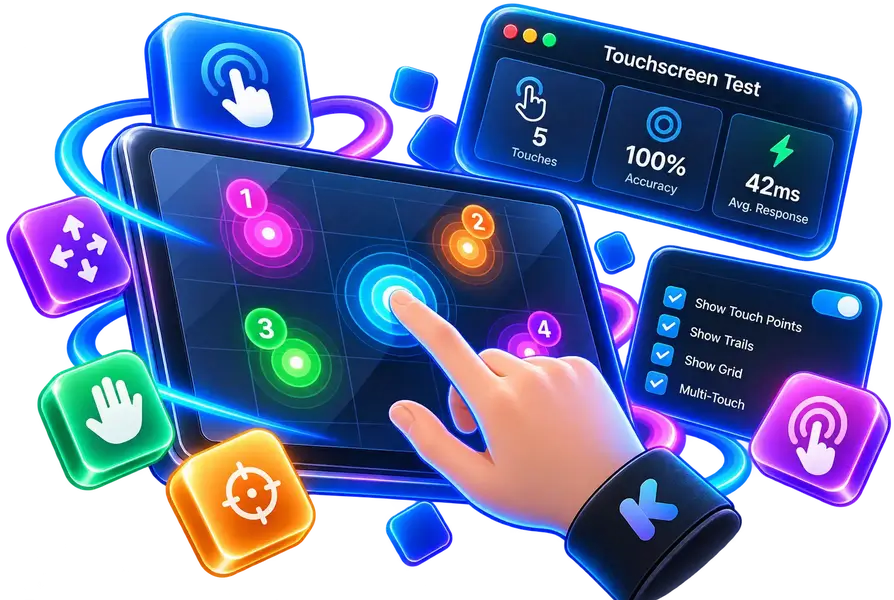
Touchscreen Test Online — Test Multi-Touch & Screen Response Free
100% Client-Side Your files never leave your device
Instant Performance Instant browser execution
Fully Responsive Desktops, tablets & mobile
Private & Secure No tracking or server storage
How to Test Your Touchscreen

Touch and drag your fingers across the screen to test touch precision and detect dead touch zones. Use 'Fullscreen Test' to test the entire display edge-to-edge.

  • 'Fullscreen Test' utilizes 100% of your screen to test corners, edges, and bezels without browser UI interference.
  • 'Dead Zone Grid' maps your display into responsive cells that turn green with sound feedback upon touch.
  • 'Multi-Touch Trail' draws isolated color paths for every finger to measure hardware touch points.
  • Press the '✕ Exit' button or Esc key at any time to leave fullscreen.
Touch Privacy Protection

Touch coordinates are mapped directly to Canvas pixels in browser memory without sending touch events externally.